
Awad A
Read more
Faucet Troubleshooting
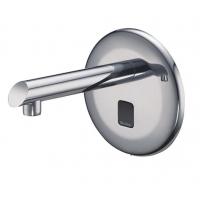
Sloan faucet troubleshooting · Optima repair help
Sloan Optima ETF-600 & ETF-610 Troubleshooting Guide
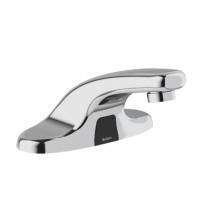
This page helps diagnose common Sloan Optima ETF-600 and ETF-610 faucet problems, including no water flow, short sensor range, false activation, low flow, and faucets that keep dripping after use.
Quick answer
Most Sloan Optima faucet issues come down to one of five areas: power, sensor settings, solenoid problems, water supply restrictions, or debris in filters and aerators.
- If there is no water, start by checking power, transformer output, wiring, sensor condition, and the solenoid filter.
- If the sensor range is too short, adjust the potentiometer and confirm dip switch settings.
- If the faucet turns on by itself, reduce sensor range and check for reflective surfaces or bright light interference.
- If you have low flow, inspect the water stops, solenoid filter, solenoid, and aerator.
- If the faucet keeps dripping, inspect the solenoid orientation, clean debris, and replace damaged solenoid parts if needed.
Common Sloan Optima faucet symptoms
Use the symptom below that best matches what the faucet is doing.
Why is no water coming out of the faucet?
When the Sloan Optima faucet does not deliver water, the LED indicators on the module can help isolate the problem quickly.
If no LED lights illuminate
- No electricity is being supplied to the faucet. Confirm the main power is on. Check transformer, sensor, solenoid, and cable connections. Make sure the transformer is supplying 24 VAC. If no voltage is detected, replace the transformer.
- There is an electrical system malfunction. Reset the electrical system by unplugging the sensor connection, disconnecting power to the circuit for ten seconds, and reconnecting.
If the green LED illuminates when power is reconnected
- There is a short in the sensor. Replace the sensor. The green LED may illuminate immediately after sensor disconnection.
- There is a short in the solenoid or solenoid cable. Replace the ETF-370-A solenoid.
If the green LED does not illuminate when power is reconnected
- There is an electrical system malfunction. Reset the system again by unplugging the sensor connection, disconnecting power for ten seconds, and reconnecting.
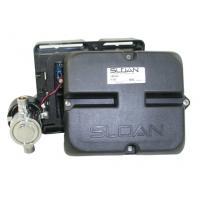
- The control module circuit is not working properly. Replace the ETF-450-A control module.
If the green LED changes to red when hands are in the sensor zone and the red solenoid LED illuminates
- Water supply stop valves may be partially closed. Open the stops fully if needed.
- Debris may be clogging the solenoid filter. Shut off the water supply, remove the filter, clean it, and reinstall it.
If the green LED changes to red and the red solenoid LED flickers with a vibrating or clicking noise inside the module
This applies only to Revision 2 modules.
- There is a direct short in the solenoid or solenoid cable. Replace it with an ETF-370-A solenoid.
If the green or red LED changes to red when hands are not in the detection zone, but the red solenoid LED does not illuminate
- Sensor range is set too long and is detecting the sink. Reduce the sensor detection range.
- The sensor is not working properly. Replace the sensor.
If the green LED illuminates but does not change to red when hands are placed in the detection zone
- Sensor range is set too short. Increase the sensor detection range.
- The sensor is not working properly. Replace the sensor.
Why is the sensor range too short?
If users have to place their hands very close to the sensor, the range settings may need adjustment.
- Extended range sensitivity may be required. Dip switch number 4 should be in the DOWN position for extended range sensitivity. Increase range by adjusting the range potentiometer clockwise.
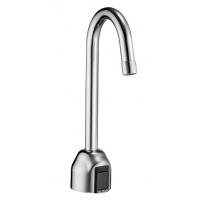
- If the faucet has a surgical bend gooseneck spout, remove the range jumper from the upper right corner of the circuit board, then adjust the range potentiometer. This long-range setup is recommended for that spout style and applies only to Revision 2 modules.
Why does the faucet turn on by itself?
False triggering usually means the sensor range is too aggressive or the environment is interfering with the sensor.
- Reduce the sensor range by adjusting the range potentiometer counterclockwise. If necessary, move dip switch number 4 to the UP position for reduced range sensitivity.
- Check nearby conditions that can affect detection, such as bright lights, reflective surfaces, and direct sunlight.
Why is the faucet flow very low or only a dribble?
Low water flow usually points to a partial blockage or a worn internal component.
- Water supply stops may be partially closed. Open them fully.
- Debris may be clogging the solenoid filter. Shut off the water, remove the filter, clean it, and reinstall it.
- The solenoid may be worn or not working properly. Rebuild it with the ETF-1009-A solenoid repair kit or replace it with an ETF-370-A solenoid.
- Debris may be clogging the faucet aerator or spray head. Shut off the water, remove the aerator or spray head, clean it, and reinstall it.
Why does the faucet keep dripping or not shut off?
If water keeps running even after the user leaves and power has been disconnected, focus on the solenoid assembly.
- The solenoid valve may be installed backward. Reconnect it so the water flow points toward the faucet, following the arrow on the solenoid.
- Debris may be clogging the solenoid. Remove and clean the solenoid operator. If needed, rebuild it with the ETF-1009-A repair kit.
- The seat in the solenoid valve body may be damaged or pitted. Replace it with an ETF-370-A solenoid.
Part numbers mentioned in this guide
These part numbers appear in the original troubleshooting steps and may help when diagnosing or ordering replacements.
ETF-370-A Solenoid
ETF-450-A Control Module
ETF-1009-A Solenoid Repair Kit
Frequently asked questions
What is the first thing to check when a Sloan Optima faucet has no water?
Start with power. Make sure the transformer is supplying 24 VAC and check the sensor, solenoid, and cable connections before moving on to water-side issues.
What usually causes false activation on a sensor faucet?
The most common cause is sensor range set too long. Bright light, reflective sink surfaces, and direct sunlight can also contribute.
What causes low flow on an ETF-600 or ETF-610 faucet?
Check for partially closed supply stops, debris in the solenoid filter, a worn solenoid, or a clogged aerator or spray head.
Why would the faucet keep dripping even after power is disconnected?
That usually points to a mechanical solenoid problem, such as incorrect installation direction, debris in the solenoid, or a damaged solenoid valve seat.
Need additional help?
When assistance is required, contact Kully Supply at 1-800-518-5388.
For product or repair-part pages, this is also a good place to add internal links to compatible faucet parts, control modules, solenoids, and repair kits on your website.

